# Embed the AgentPMT Crypto On-Off-Ramp Widget
> Developer guide for embedding the AgentPMT hosted crypto on-off-ramp widget with branding, prefills, theme options, and production-ready iframe examples.
Content type: documentation
Source URL: https://www.agentpmt.com/docs/embedded-widgets/embed-the-agentpmt-crypto-on-off-ramp-widget
Markdown URL: https://www.agentpmt.com/docs/embedded-widgets/embed-the-agentpmt-crypto-on-off-ramp-widget?format=agent-md
Category: Embedded Widgets
---
# Embed the AgentPMT Crypto On-Off-Ramp Widget
Use the AgentPMT hosted crypto on-off-ramp widget when you want users to buy or sell crypto directly from your site.
> INFO: Production URL
>
> `https://www.agentpmt.com/embed/crypto-on-off-ramp`
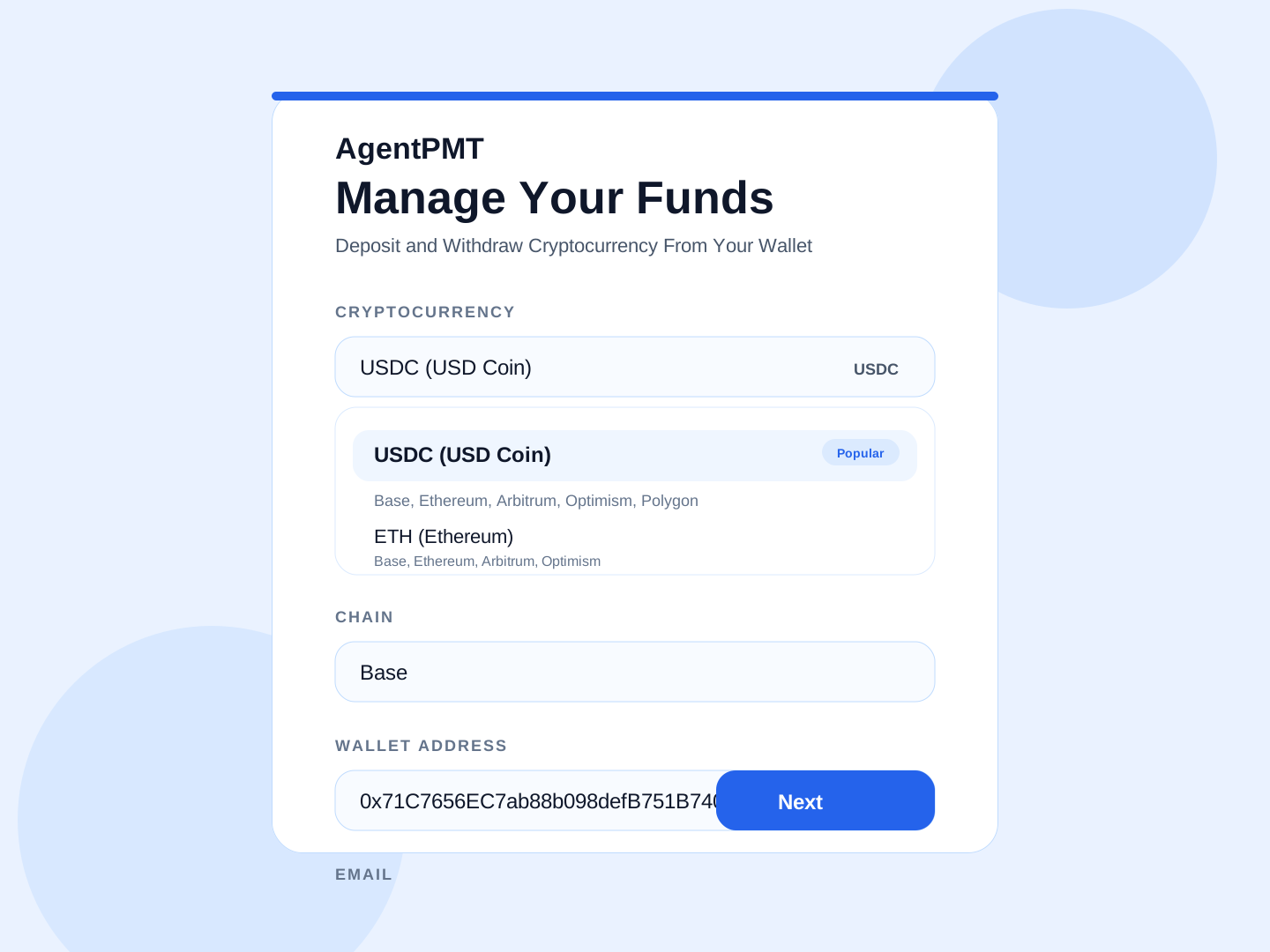
*The setup screen shown before the widget opens.*
## Quick Start
Paste this iframe into your site:
```html
```
Recommended size:
- width: `100%`
- max width: `440px`
- height: `760px` minimum, `1000px` if you want the widget visible without scrolling after the user clicks Next
## Implementation Examples
### Plain HTML
Use this when you are embedding the widget directly into a static site or a server-rendered page.
```html
```
### React or Next.js
Use this when you want to render the widget from a React component.
```tsx
const src =
"https://www.agentpmt.com/embed/crypto-on-off-ramp?theme=dark&crypto=USDC&chain=base";
return (
);
}
```
### Webflow or Other Site Builders
Add an `Embed` block and paste this:
```html
```
### WordPress
Add a `Custom HTML` block and paste this:
```html
```
## What You Can Configure
Example configuration:
```json
{
"theme": "dark",
"walletAddress": "0x71C7656EC7ab88b098defB751B7401B5f6d8976F",
"email": "ops@example.com",
"crypto": "ETH",
"chain": "arbitrum",
"title": "Manage Your Funds",
"subtitle": "Deposit and Withdraw Cryptocurrency From Your Wallet"
}
```
Available parameters:
- `theme`
Example: `theme=dark`
Allowed values: `light`, `dark`
Controls light mode or dark mode.
- `walletAddress`
Example: `walletAddress=0x71C7656EC7ab88b098defB751B7401B5f6d8976F`
Prefills the wallet address.
- `wallet`
Example: `wallet=0x71C7656EC7ab88b098defB751B7401B5f6d8976F`
Alias for `walletAddress`.
- `email`
Example: `email=ops@example.com`
Prefills the email address.
- `crypto`
Example: `crypto=ETH`
Sets the starting cryptocurrency.
- `chain`
Example: `chain=arbitrum`
Sets the starting chain.
Supported values: `base`, `ethereum`, `arbitrum`, `optimism`, `polygon`
- `title`
Example: `title=Manage%20Treasury`
Replaces the default heading.
- `subtitle`
Example: `subtitle=Deposit%20and%20Withdraw%20Cryptocurrency%20From%20Your%20Wallet`
Replaces the default subheading.
## Common Examples
### Light Mode
```text
https://www.agentpmt.com/embed/crypto-on-off-ramp?theme=light
```
### Dark Mode
```text
https://www.agentpmt.com/embed/crypto-on-off-ramp?theme=dark
```
### Prefill Wallet and Email
```text
https://www.agentpmt.com/embed/crypto-on-off-ramp?walletAddress=0x71C7656EC7ab88b098defB751B7401B5f6d8976F&email=ops%40example.com
```
### Start on a Specific Cryptocurrency and Chain
```text
https://www.agentpmt.com/embed/crypto-on-off-ramp?crypto=ETH&chain=ethereum
```
```text
https://www.agentpmt.com/embed/crypto-on-off-ramp?crypto=USDC&chain=base
```
### Fully Customized iframe
```html
```
### Standalone Widget URL
If your platform only wants a URL, or if you want to open the widget in its own tab, use the full standalone widget URL:
```text
https://www.agentpmt.com/embed/crypto-on-off-ramp?theme=dark&walletAddress=0x71C7656EC7ab88b098defB751B7401B5f6d8976F&email=ops%40example.com&crypto=ETH&chain=arbitrum&title=Manage%20Your%20Funds&subtitle=Deposit%20and%20Withdraw%20Cryptocurrency%20From%20Your%20Wallet
```
## What Users Will See
Users first see the AgentPMT setup screen. After they click **Next**, the widget opens.
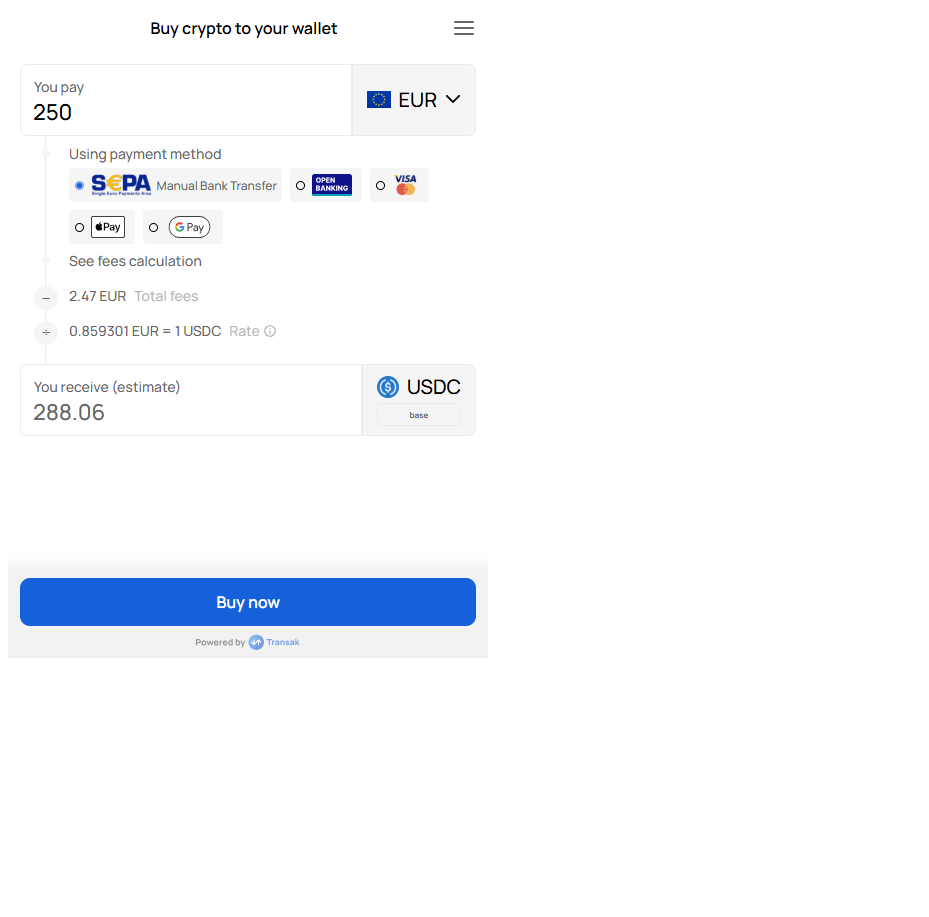
*Example buy flow*
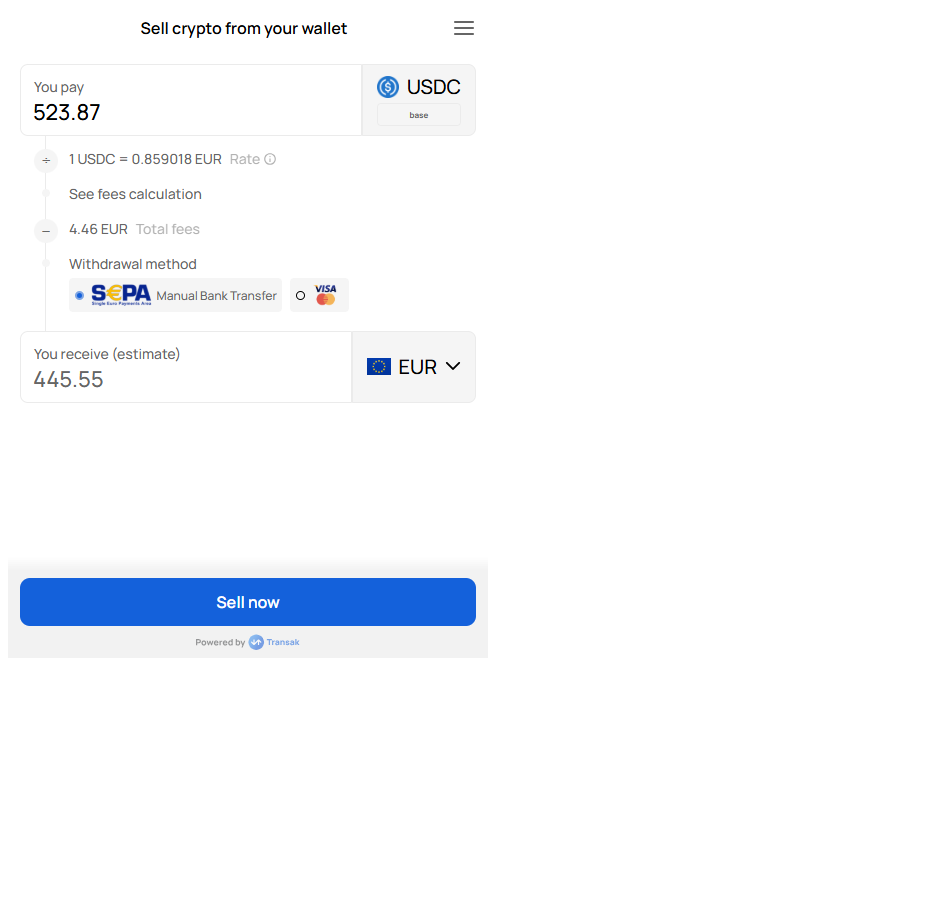
*Example sell flow*
## Behavior
- Buy and sell are both enabled
- The widget starts with `USD` and card payment
- Wallet and email can be prefilled
- Users can still change supported selections before and inside the widget
- EVM wallet addresses are validated before launch
## Integration Checklist
1. **Add the iframe**
Point your iframe `src` to `https://www.agentpmt.com/embed/crypto-on-off-ramp`.
2. **Set optional parameters**
Add `theme`, `walletAddress`, `email`, `crypto`, `chain`, `title`, or `subtitle` if needed.
3. **Use enough height**
Use at least `760px` of height. For the full widget to display without scrolling after the user clicks Next, use `1000px`.
4. **Test your final URL**
Open the exact production iframe URL you plan to ship and test both buy and sell.
## Copy-Paste Starter
```html
```