

Developer guide for embedding the AgentPMT hosted crypto on-off-ramp widget with branding, prefills, theme options, and production-ready iframe examples.
Embed the AgentPMT Crypto On-Off-Ramp Widget
Use the AgentPMT hosted crypto on-off-ramp widget when you want users to buy or sell crypto directly from your site.
Production URL
https://www.agentpmt.com/embed/crypto-on-off-ramp
Quick Start
Paste this iframe into your site:
<iframe
  src="https://www.agentpmt.com/embed/crypto-on-off-ramp"
  title="AgentPMT Crypto On-Off-Ramp Widget"
  style="width:100%;max-width:440px;height:760px;border:0;border-radius:24px;overflow:hidden"
  allow="payment; clipboard-write"
  loading="lazy"
></iframe>
Recommended size:
- width:
100% - max width:
440px - height:
760pxminimum,1000pxif you want the widget visible without scrolling after the user clicks Next
Implementation Examples
Plain HTML
Use this when you are embedding the widget directly into a static site or a server-rendered page.
<iframe
  src="https://www.agentpmt.com/embed/crypto-on-off-ramp"
  title="AgentPMT Crypto On-Off-Ramp Widget"
  style="width:100%;max-width:440px;height:760px;border:0;border-radius:24px;overflow:hidden"
  allow="payment; clipboard-write"
  loading="lazy"
></iframe>
React or Next.js
Use this when you want to render the widget from a React component.
export function FundsWidget() {
  const src =
    "https://www.agentpmt.com/embed/crypto-on-off-ramp?theme=dark&crypto=USDC&chain=base";

  return (
    <iframe
      src={src}
      title="AgentPMT Crypto On-Off-Ramp Widget"
      style={{
        width: "100%",
        maxWidth: "440px",
        height: "760px",
        border: 0,
        borderRadius: "24px",
        overflow: "hidden",
      }}
      allow="payment; clipboard-write"
      loading="lazy"
    />
  );
}
Webflow or Other Site Builders
Add an Embed block and paste this:
<div style="width:100%;display:flex;justify-content:center;">
  <iframe
    src="https://www.agentpmt.com/embed/crypto-on-off-ramp?theme=light"
    title="AgentPMT Crypto On-Off-Ramp Widget"
    style="width:100%;max-width:440px;height:760px;border:0;border-radius:24px;overflow:hidden"
    allow="payment; clipboard-write"
    loading="lazy"
  ></iframe>
</div>
WordPress
Add a Custom HTML block and paste this:
<iframe
  src="https://www.agentpmt.com/embed/crypto-on-off-ramp?theme=light&crypto=USDC&chain=base"
  title="AgentPMT Crypto On-Off-Ramp Widget"
  style="width:100%;max-width:440px;height:760px;border:0;border-radius:24px;overflow:hidden"
  allow="payment; clipboard-write"
  loading="lazy"
></iframe>
What You Can Configure
Example configuration:
{
  "theme": "dark",
  "walletAddress": "0x71C7656EC7ab88b098defB751B7401B5f6d8976F",
  "email": "ops@example.com",
  "crypto": "ETH",
  "chain": "arbitrum",
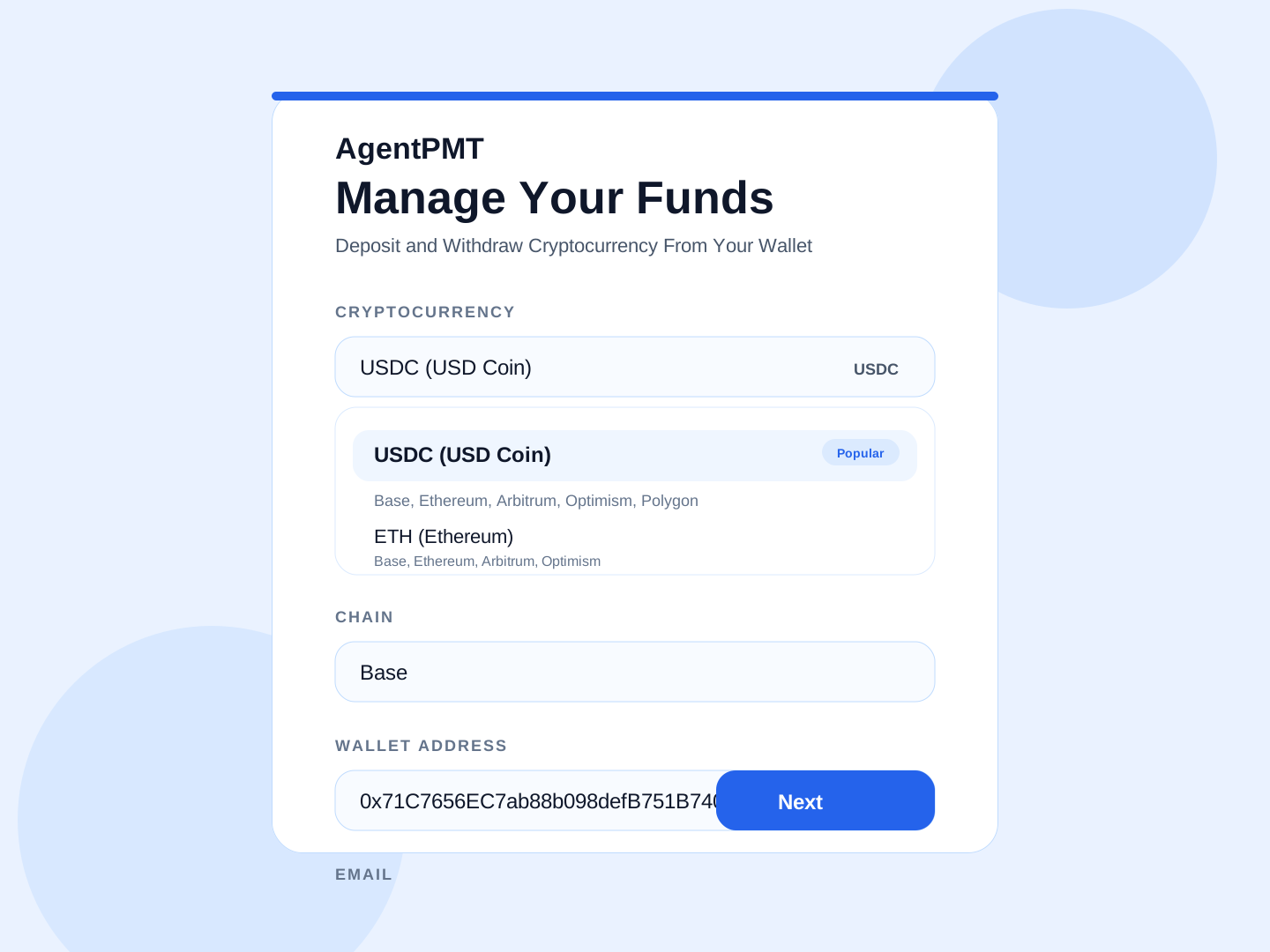
  "title": "Manage Your Funds",
  "subtitle": "Deposit and Withdraw Cryptocurrency From Your Wallet"
}
Available parameters:
-
themeExample:theme=darkAllowed values:light,darkControls light mode or dark mode. -
walletAddressExample:walletAddress=0x71C7656EC7ab88b098defB751B7401B5f6d8976FPrefills the wallet address. -
walletExample:wallet=0x71C7656EC7ab88b098defB751B7401B5f6d8976FAlias forwalletAddress. -
emailExample:email=ops@example.comPrefills the email address. -
cryptoExample:crypto=ETHSets the starting cryptocurrency. -
chainExample:chain=arbitrumSets the starting chain. Supported values:base,ethereum,arbitrum,optimism,polygon -
titleExample:title=Manage%20TreasuryReplaces the default heading. -
subtitleExample:subtitle=Deposit%20and%20Withdraw%20Cryptocurrency%20From%20Your%20WalletReplaces the default subheading.
Common Examples
Light Mode
https://www.agentpmt.com/embed/crypto-on-off-ramp?theme=lightDark Mode
https://www.agentpmt.com/embed/crypto-on-off-ramp?theme=darkPrefill Wallet and Email
https://www.agentpmt.com/embed/crypto-on-off-ramp?walletAddress=0x71C7656EC7ab88b098defB751B7401B5f6d8976F&email=ops%40example.comStart on a Specific Cryptocurrency and Chain
https://www.agentpmt.com/embed/crypto-on-off-ramp?crypto=ETH&chain=ethereumhttps://www.agentpmt.com/embed/crypto-on-off-ramp?crypto=USDC&chain=baseFully Customized iframe
<iframe
  src="https://www.agentpmt.com/embed/crypto-on-off-ramp?theme=dark&walletAddress=0x71C7656EC7ab88b098defB751B7401B5f6d8976F&email=ops%40example.com&crypto=ETH&chain=arbitrum&title=Manage%20Your%20Funds&subtitle=Deposit%20and%20Withdraw%20Cryptocurrency%20From%20Your%20Wallet"
  title="AgentPMT Crypto On-Off-Ramp Widget"
  style="width:100%;max-width:440px;height:760px;border:0;border-radius:24px;overflow:hidden"
  allow="payment; clipboard-write"
  loading="lazy"
></iframe>
Standalone Widget URL
If your platform only wants a URL, or if you want to open the widget in its own tab, use the full standalone widget URL:
https://www.agentpmt.com/embed/crypto-on-off-ramp?theme=dark&walletAddress=0x71C7656EC7ab88b098defB751B7401B5f6d8976F&email=ops%40example.com&crypto=ETH&chain=arbitrum&title=Manage%20Your%20Funds&subtitle=Deposit%20and%20Withdraw%20Cryptocurrency%20From%20Your%20WalletWhat Users Will See
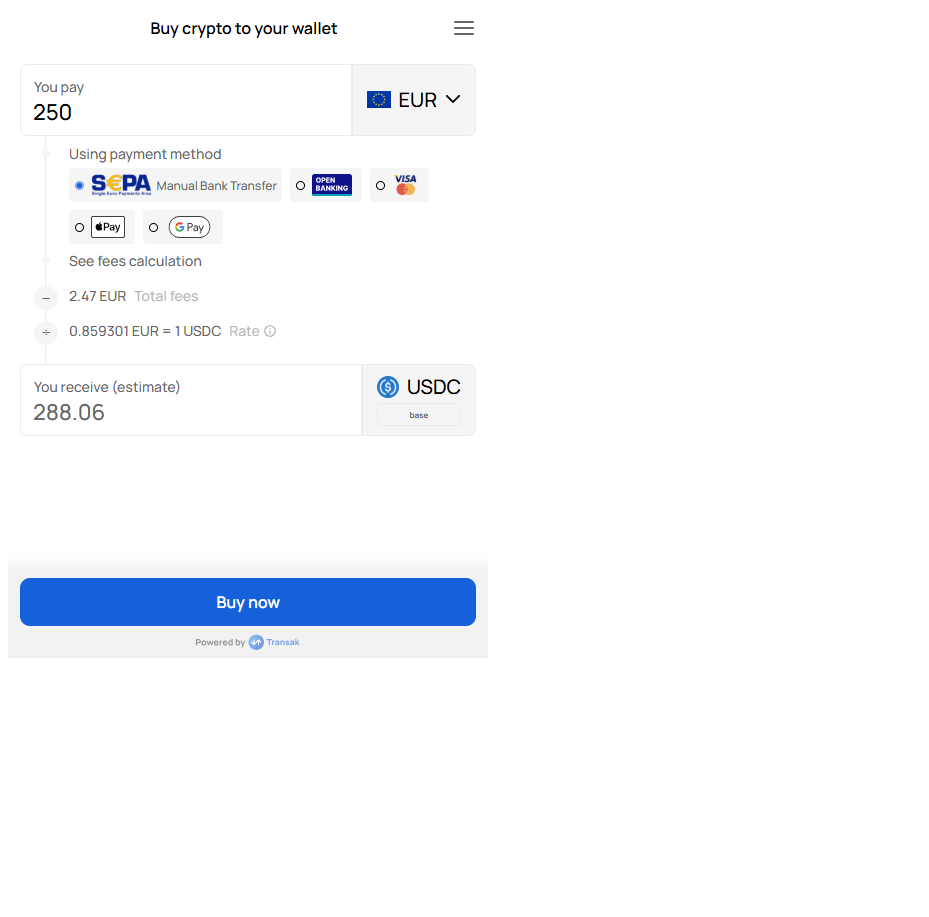
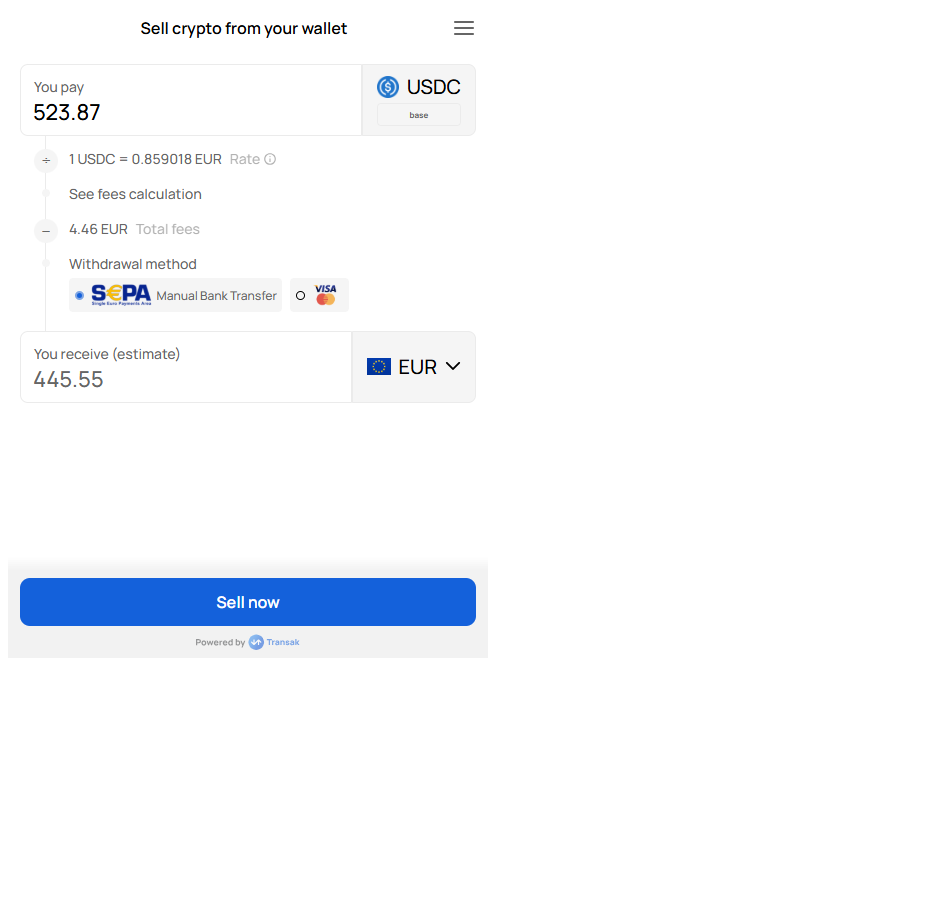
Users first see the AgentPMT setup screen. After they click Next, the widget opens.
Behavior
- Buy and sell are both enabled
- The widget starts with
USDand card payment - Wallet and email can be prefilled
- Users can still change supported selections before and inside the widget
- EVM wallet addresses are validated before launch
Integration Checklist
Add the iframe
Point your iframe src to https://www.agentpmt.com/embed/crypto-on-off-ramp.
Set optional parameters
Add theme, walletAddress, email, crypto, chain, title, or subtitle if needed.
Use enough height
Use at least 760px of height. For the full widget to display without scrolling after the user clicks Next, use 1000px.
Test your final URL
Open the exact production iframe URL you plan to ship and test both buy and sell.
Copy-Paste Starter
<iframe
  src="https://www.agentpmt.com/embed/crypto-on-off-ramp?theme=light&crypto=USDC&chain=base"
  title="AgentPMT Funds Widget"
  style="width:100%;max-width:440px;height:760px;border:0;border-radius:24px;overflow:hidden"
  allow="payment; clipboard-write"
  loading="lazy"
></iframe>