AgentPMT

Agent Catalog

Tools, Workflows, and Specialized Agents

54 results
Workflow
Saves ~10 min
Decide whether an agent should buy one machine service call before any payment. Validate explicit price, fee, failure probability, retry cost, output value, and budget assumptions; calculate expected net value, finite financial ROI, capital at risk, and the maximum rational price; then return buy, defer, or reject with the binding reason. Never access a wallet, sign, pay, or broadcast.
Workflow
Saves ~15 min
Inspect one public HTTPS endpoint without credentials or payment. Validate the URL, make one bounded GET request, and report whether its HTTP 402 x402 or MPP payment offers are parseable and internally consistent. Return protocols, prices, currencies, networks, recipients, expiries, conflicts, and a safe next action. Never sign, pay, or broadcast a transaction.
Workflow
Saves ~45 min
Automatically organize and clean up your Gmail inbox every hour, hands-free. This AI email automation reads each new message, classifies it into one of eleven of your own Gmail labels (across the "00 Automated", "00 Human", and "00 Bookkeeping" label groups), applies the right label, and archives it out of your inbox — so you reach inbox zero without lifting a finger. The moment a message is tagged Important, you get an instant Telegram alert with a direct link to that email, so urgent messages never slip through. Ideal for busy professionals and teams who want smart email sorting, automated inbox triage, and real-time Telegram notifications for the emails that actually matter.
Workflow
Saves ~45 min
Automatically backs up your Plaud recordings to Google Drive and keeps a tracking spreadsheet in Google Sheets. Each time you run this workflow, it downloads any new recordings from your Plaud account to a "Plaud Recordings" folder in Drive, creates a transcript for each recording (using Plaud's built-in transcripts when available, or automatic speech-to-text otherwise), saves the transcript alongside the audio file, identifies what each recording is about (meeting, interview, note, etc.), and logs everything in a spreadsheet with links to the audio and transcript files. You can run this as often as you like - it only processes new recordings and won't duplicate anything. Just connect your Plaud, Google Drive, and Google Sheets accounts and run it whenever you want to sync your latest recordings.
Workflow
Saves ~2 hr
Design, build, test, and publish custom automation workflows on AgentPMT. Walk through the complete workflow creation process from idea to published skill: define what you want to automate, discover available tools from a catalog of 170+, design multi-step DAG graphs with tool nodes, prompt nodes, branching, loops, and human notifications, then test and iterate until the workflow runs correctly. Uses the AgentPMT Workflow Creator tool directly for tool discovery, workflow creation, verification, and publishing. Covers workflow architecture, node types, edge connections, industry tagging, versioning, and publishing. Ideal for no-code automation, business process automation, task chaining, AI agent orchestration, and building reusable skill chains.
Workflow
Saves ~45 min
Turns talking through a job out loud into a written, numbered standard operating procedure. Built for the people who actually know the equipment and have no time to write documentation: maintenance and facilities teams, field service, manufacturing, labs, franchise operations, and any owner trying to get a process out of their own head before handing it over. Walk the machine or the task and narrate it, saying the step number out loud as you go, and the workflow pulls the transcript of each new Plaud recording and turns it into a clean procedure document: a title, the equipment or process it covers, tools and safety notes gathered into their own sections, then numbered steps in the order you said them, with your asides and warnings kept attached to the step they belong to. Filler, false starts and interruptions are dropped; the technical content is left in your words rather than rewritten into corporate documentation voice. It lands as a Google Doc so it stays editable and exports to PDF or Word, and anything the narration left ambiguous is flagged at the end for you to fill in rather than being invented. Say each step number aloud and the transcript carries its own index, which makes pairing photos to steps afterwards mechanical instead of guesswork.
Workflow
Saves ~20 min
Gets you past the one-template-per-recording ceiling. The Plaud app applies a single AutoFlow template to a recording, so if you want a short recap for yourself, a decisions-only version for the people who missed it, and a clean action list for your task manager, you are re-running or rewriting by hand. This workflow reads the transcript once and produces every format you have defined in a single pass: you list the output formats you want in a Google Sheet, each with a name and a description of the shape and audience, and the workflow generates all of them from the same source text and writes them into one Google Doc per recording with a section for each. Because every version comes from the same read of the transcript, they stay consistent with each other rather than drifting the way separately generated summaries do. Formats are yours to change at any time by editing the sheet, with no re-recording and no template juggling in the app. A processed log keeps each recording to a single pass so it can run on a schedule over everything new.
Workflow
Saves ~20 min
Fixes the words your transcription keeps getting wrong, by giving the pipeline your vocabulary instead of hoping a bigger model guesses right. Every speech model mangles terms it has never seen: cell line and reagent names, drug and device names, case and matter numbers, part numbers, local spelling and number conventions, team and client names. Swapping to a different model does not fix this, because none of them have your terms either. Keep a plain Google Sheet glossary of the terms that matter, each with the spelling you want and the misfires it usually comes back as ("HEK293" for "heck two ninety three"), plus any formatting rules you need enforced, such as Swiss German ss instead of eszett or 1'000.00 number style. On each run the workflow reads the glossary, pulls the transcript of every new Plaud recording, applies the corrections to the transcript first, and only then writes the summary and action items from the corrected text, so your terminology is right everywhere downstream instead of only in the raw transcript. The corrected transcript and summary land in a Google Doc, and every correction made is listed so you can see what changed and keep tuning the glossary. Unknown terms are flagged, never silently normalized into something that looks plausible.
Workflow
Saves ~10 min
Puts the meetings you agree to out loud straight onto your Google Calendar, without Zapier in the middle. Plaud's own app has no Calendar integration, so this closes that gap directly: each new recording is scanned, the transcript pulled, and any genuine scheduling commitment spoken in it ("let's do Tuesday at 3", "I'll come back out Thursday morning") is extracted with the relative date resolved against the recording's own date and your timezone. Each one becomes a Google Calendar event with the agreed time, a title naming who and what, and the surrounding quote from the transcript in the description so you can see exactly what was said. Vague intentions with no time attached ("we should catch up sometime") are deliberately ignored rather than guessed into a slot. Because it uses the full Google Calendar connector it also reads back, so an agent can answer what your week looks like from the same connection. A Google Sheet ledger records every recording id and every event created, so a scheduled run never double-books you.
Workflow
Saves ~15 min
Turns a spoken site visit into a filled-in spreadsheet row, so measurements and specs never get typed up twice. Built for anyone who dictates structured details on the job rather than writing them down: window and flooring measurements, equipment specs, inspection findings, punch lists, service call notes. Say the details out loud in the same order each visit (client, room, width, drop, colour, notes) and the workflow reads each new Plaud recording, pulls its transcript, extracts only the values actually spoken, and appends them as one row to your Google Sheet under whatever column headers you have already set up. Values are never inferred: if a measurement was not said, the cell is left empty and flagged in the run summary rather than guessed, because a fabricated number on a quote is worse than a blank one. Recordings that are not field dictations (meetings, personal memos, ambient audio) are logged as skipped and produce no row. A Processed tab records every recording id so the workflow can run on a schedule without duplicating rows. Pair it with your own quote template and the spreadsheet row becomes the quote.
Workflow
Saves ~15 min
Catches every date and time you commit to out loud in your Plaud recordings — "I'll send it Thursday", "meet Bob at 3" — and sends the whole batch to you on Telegram. Scans each new recording, pulls the transcript (reusing the recording's own transcript when one exists), extracts spoken commitments and resolves relative dates against the recording date and your timezone, and logs them to a "Plaud Commitments" Google Sheet. Every run then sends one Telegram digest listing all open commitments sorted by due date, with overdue items flagged. Mark a row "done" in the sheet to drop it from future digests. Schedule it daily and the digest becomes your morning commitments briefing — no phone number needed: connect once through the AgentPMT Telegram bot, and if you haven't yet, the run summary walks you through it. A processed-recordings tab guarantees each recording is scanned exactly once.
Workflow
Saves ~20 min
Drafts a follow-up email after every client call you record with Plaud — and never sends without your approval. Reviews each new recording, pulls the transcript (reusing the recording's own transcript when one exists), identifies genuine client conversations, and drafts a warm, concise follow-up recapping the discussion, what each side committed to, and the agreed next step — written strictly from what was said. Looks up the client's email address in your Google Contacts, then sends you the draft with the proposed recipient for approval; only after you approve (and confirm the address) is the email sent from your own Gmail account, so it lands in your Sent folder and replies come back to you. Every recording is logged in a Google Sheet so nothing is drafted twice. Skipped and rejected drafts are recorded with their reason.
Workflow
Saves ~15 min
Posts a clean, speaker-labeled recap of every team meeting you record with Plaud into a Slack channel of your choice (defaults to #meeting-recaps). Reviews each new recording, pulls the transcript (reusing the recording's own transcript when one exists), identifies genuine multi-person team meetings — solo memos, client calls, and test recordings are skipped — and posts a formatted recap with participants, decisions, topics discussed, and action items with owners. A Google Sheet ledger guarantees each recording is handled exactly once, so the workflow can run on a schedule without duplicate posts. The Slack app must be a member of the target channel.
Workflow
Saves ~25 min
Collects every action item spoken in your Plaud recordings into one master Google Sheet. Scans each new recording, pulls its transcript (reusing the recording's own transcript when one exists) and AI summary, extracts concrete tasks with the responsible owner and any spoken due date (resolved to a real calendar date from the recording date), and appends them to an "Action Items" tab with status "open" — deduplicated within and across meetings so the same commitment never appears twice. A "Processed Recordings" tab guarantees each recording is scanned exactly once, so the workflow can run on a schedule. Solves the problem of action items being trapped inside individual meeting summaries.
Workflow
Saves ~30 min
Turns your Plaud voice recordings of client calls into Pipedrive records automatically. Reviews every new recording, identifies genuine client conversations, transcribes them (reusing the recording's own transcript when one exists), saves the transcript to a "Plaud Call Logs" Drive folder, matches the spoken client name and company to a Pipedrive person and open deal, attaches a call note with the discussion summary, commitments, next steps, and transcript link, and creates a follow-up activity dated from spoken commitments. Keeps a Google Sheet ledger so every recording is processed exactly once; recordings that are not client calls are logged and skipped. Re-runnable and idempotent.
Workflow
Saves ~45 min
Automated real estate investor outreach pipeline that processes a CSV file of property owners, adds each contact as a lead in Zoho CRM, drafts personalized introductory purchase-interest emails in Gmail, and schedules follow-up call tasks in Zoho CRM for three days later. Designed for real estate investors who want to scale their direct-to-owner outreach campaigns from a spreadsheet of property contacts.
Workflow
Saves ~30 min
Runs every hour to fetch unread Gmail emails, categorizes them into four buckets (Account Notifications, Marketing, Human, Urgent), and sends a Telegram alert for any urgent emails that need a timely response. Non-urgent runs are logged silently.
Workflow
Saves ~1 hr 15 min
Stay visible on X (Twitter) every week without staring at a blank compose box. Give this AI social media workflow your beats and your positioning, and it scans the last week of industry news, picks the strongest non-overlapping angles, and writes opinionated, fact-backed posts in a natural human voice that sounds like you, not a press release. Every post is screened by an automated writing quality check that strips robotic, overused AI phrasing, and posts that benefit from a visual get a custom 16:9 image. All drafts queue in a Google Sheet and come to you for batch approval, and the workflow checks back for your decision at 5 and 10 minutes. Approve and it publishes to X, attaching images and links correctly, then marks each row with the live post link so you keep a complete content log. Miss the window and nothing posts: every draft stays safely queued in the sheet, ready to approve and publish on a later run. Ideal for founders, executives, consultants, developer advocates, and marketers who want Twitter automation with editorial control: AI-generated social media posts, social SEO, personal branding, content marketing, and a consistent thought leadership presence built on real facts and a human voice.
Workflow
Saves ~1 hr 30 min
Turn any Pipedrive segment into a set of genuinely personal sales emails, written one contact at a time and waiting in your Gmail drafts for your final say. Point this AI email writing workflow at a pipeline stage, an owner, a label, or stalled deals with no recent activity, and it pulls each contact's deal history and notes from Pipedrive, finds the strongest personal hook for every relationship, and writes each email in a natural human voice around your goal: re-engaging a quiet deal, a renewal check-in, post-sale nurture, an upsell conversation, or a simple hello. Every email passes an automated writing quality check that catches robotic, overused AI phrasing and rewrites it before you ever see it. Nothing is sent automatically. Each message lands as a Gmail draft for you to review and send personally, while the workflow logs a note and a follow-up activity on every deal in Pipedrive, records the campaign in a Google Sheets log, and emails you a summary of what is ready. Built for account executives, customer success teams, founders doing their own outreach, sales follow-up and renewal plays, and anyone who wants CRM email automation that produces one-to-one messages that read like they wrote them.
Workflow
Saves ~3 hr
Turn a topic or a content-calendar spreadsheet into a publish-ready, fact-checked blog article written in a natural human voice. This AI blog writing workflow picks the next due topic from your Google Sheet (or takes one directly), researches it across live news and authoritative web sources, builds a sourced fact sheet and SEO outline, then drafts the full long-form article with a human-style writing agent that writes only from verified facts. Every draft runs through an automated writing quality check that catches robotic, banned AI phrases and rewrites them until the copy passes. A custom hero image is generated to match the story, the finished article is assembled into a formatted Google Doc with a sources section, the run is logged back to your content calendar, and the doc link lands in your inbox. Ideal for content marketing teams, SEO agencies, founders, newsletters, and solo bloggers who want an AI blog post generator and content automation pipeline that delivers consistent, on-brand, long-form SEO content without the research grind or the telltale AI voice.
Workflow
Saves ~1 hr
Plan a high-impact day of in-person sales visits straight from your CRM. Give this AI workflow a city or area and it pulls every relevant Pipedrive contact and open deal there, optimizes the most efficient driving route across the stops, and generates a map plus a timed itinerary with arrival windows. For each visit it briefs the rep with last activity, open-deal status, and specific talking points drawn from the contact's notes, and can pre-plan a small gift to bring. The finished plan is delivered as a shareable document with calendar events for every stop. Perfect for field sales, account-based selling, territory planning, customer check-ins, QBR tours, and outside sales reps who want CRM-driven, route-optimized visit planning Pipedrive doesn't offer.
Workflow
Saves ~40 min
Protect your recurring revenue with a proactive, multi-touch renewal play. This AI workflow watches the renewal and contract dates on your Pipedrive deals and accounts and runs a tiered gifting ladder as each renewal approaches — a thoughtful greeting card at 60 days, then a fruit basket or flowers at 30 days when engagement has gone quiet — while creating timed follow-up activities for the account owner so nothing slips. It personalizes every message from the contact's deal notes and logs each gesture back into the CRM. Ideal for subscription and SaaS renewals, customer retention, churn prevention, account management, customer success, and revenue teams who want a relationship-driven renewal cadence Pipedrive can't orchestrate on its own.
Workflow
Saves ~45 min
Never miss a reason to reach out. This AI workflow monitors the news for your most important Pipedrive accounts every week — funding rounds, awards, expansions, product launches, and executive hires — and turns real headlines into perfectly timed, genuinely relevant congratulations. The agent drafts a personalized note that references the actual news, mails a printed greeting card, and for major milestones like a funding round sends flowers, then logs the outreach and the source article onto the account in Pipedrive and alerts the deal owner. Built for account-based selling, relationship management, customer marketing, executive engagement, and sales teams who want to look remarkably attentive — a timely, news-triggered gifting play Pipedrive cannot do natively.
Workflow
Saves ~1 hr 30 min
Turn any Pipedrive segment into a personalized direct-mail campaign in minutes. Point this AI workflow at a Pipedrive filter — a pipeline stage, a customer tier, a sales territory, or won deals this quarter — and it writes a unique, on-brand message for every contact from their real deal history and notes, designs a custom greeting-card cover with AI image generation, and mails a premium printed, folded card to each recipient's address with USPS tracking. Every send is logged back onto the contact record for a complete touch history. Perfect for holiday card campaigns, customer appreciation mailers, account-based marketing, thank-you and welcome cards, re-engagement direct mail, and personalized print outreach at scale — the high-response offline channel Pipedrive has no native way to run.
Workflow
Saves ~1 hr
Automatically win back stalled, high-value Pipedrive deals before they go cold. This AI sales workflow scans your CRM for your most valuable open deals and key accounts with no activity in the last N days, ranks them by deal value, and sends a perfectly chosen physical gift — a handwritten greeting card, a fruit basket, or fresh flowers — scaled to the size of the relationship. It reads each contact's deal notes to personalize the card message and avoid preference and allergy missteps, ships to their address, logs the gesture as a Pipedrive note and follow-up activity, and alerts the deal owner. Ideal for account-based selling, customer retention, churn prevention, pipeline re-engagement, VIP client management, and revenue teams who want to revive aging deals with a human touch Pipedrive can't automate on its own.
Workflow
Saves ~25 min
Sweeps your Gmail inbox for emails received in the last 24 hours, looks up each sender's prior Gmail history to classify them as existing customer, new inquiry, marketing, or automated, scores urgency, and sends a single Telegram digest containing only the high and medium urgency emails that actually need your reply. Skips marketing, no-reply notifications, and one-way confirmations.
Workflow
Saves ~30 min
Generate user-facing development update announcements from recent GitHub commits across one or more repositories. The user supplies a list of repos on the first run (wildcards like `org/*` allowed); the workflow stores them in a Google Sheet so subsequent runs need no input. For each run, the agent fetches commits since the last run (or last 7 days on first run), categorizes them into New Features / Updates / Bug Fixes, applies a security filter to strip internal paths, endpoints, secrets, and vulnerability details, drafts the announcement in a Google Doc, polishes the writing with a quality check tool, and logs the run (date, repos, commit count, doc URL, status) back in the sheet. Designed as a starting template — users can remix it to add their own follow-up steps such as posting to Slack or emailing subscribers.
Workflow
Saves ~45 min
Automatically redline any signed contract or agreement against its original and produce an exhaustive change report before counter-signing. Upload the returned signed document (PDF, DOCX, or scanned image), name the original stored in Google Drive (DOCX or native Google Doc), and the workflow OCRs the signed copy, locates and downloads the original from Drive, converts both to clean text, and surfaces every difference categorized by type: substantive wording and clause changes with section numbers and side-by-side quotes, filled-in fields such as parties, effective dates, dollar amounts, addresses, and signer names and titles, signature block label differences, DocuSign and other e-signature artifacts, OCR rendering artifacts to ignore, and shared typos worth fixing in the original. Built for legal contract review, NDA comparison, MSA and SOW intake, vendor agreement onboarding, employment offer letter audits, partnership and referral agreement review, sales contract redlining, real estate purchase agreement comparison, insurance policy diff, lease and rental agreement review, and any returned-document intake workflow where you need to know exactly what changed before filing or counter-signing. Eliminates manual side-by-side reading, accelerates legal and operations review cycles, and prevents accidental acceptance of unfavorable revisions hidden inside a returned signed document.
Workflow
Saves ~25 min
Upload a photo of your handwritten or printed grocery list, and the agent will extract the items using OCR, search Kroger for each item to find the best-priced match, add them to your Kroger cart, then send you a notification that your order is ready for checkout.
Workflow
Saves ~50 min
Processes employee expense reports by accepting receipt uploads, extracting receipt data via OCR, categorizing expenses, booking them to Zoho Books with correct expense accounts, generating an expense breakdown chart, and sending the compiled report for manager approval. Streamlines the entire expense reimbursement process.
Workflow
Saves ~45 min
Automates accounts payable by accepting uploaded vendor invoices, extracting invoice data via OCR (vendor name, invoice number, date, line items, totals), categorizing expenses to the correct chart of accounts, booking them as bills in Zoho Books, and logging a processing summary. Eliminates manual invoice data entry for accounting teams.
Workflow
Saves ~1 hr
Accepts uploaded bank statements, extracts transactions via OCR, categorizes each transaction by expense type, logs categorized data to a spreadsheet, and generates a spending breakdown chart. Perfect for personal finance analysis or small business bookkeeping.
Workflow
Saves ~45 min
Automates bank account reconciliation in Zoho Books. Accepts bank statement files (PDF, images, scans) from the user, uploads them to File Management, runs OCR to extract transaction data, then cross-references extracted transactions against unmatched bank feed transactions in Zoho Books. For each unmatched transaction, finds potential matching records (expenses, invoices, payments) and reconciles them. Generates a reconciliation summary and notifies the user when complete.
Workflow
Saves ~1 hr
Automates the process of collecting receipt images, uploading them to File Management, running OCR to extract expense data, and adding them as categorized expenses in Zoho Books. Receipts paid with a credit card ending in 9018 are mapped to the Chase Example CC payment account, and receipts paid with a credit card ending in 0999 are mapped to the Bank Of America Example CC payment account. Receipts are processed through OCR 10 at a time. A human is notified when all receipts have been uploaded to the bookkeeping software.

Workflow
Saves ~30 min
Automates multi-stop route planning from photos of addresses. Collects the user's starting address, time needed at each stop, and departure time. Processes uploaded images through OCR to extract addresses, compiles them into a CSV, optimizes the route order, calculates arrival and departure times for each location, and delivers the final plan with a map image, detailed schedule, and Google Maps link.
Workflow
Saves ~45 min
Takes a CSV or spreadsheet file with addresses, asks for a starting drive time, time per stop, and starting address, then parses the addresses, optimizes the driving route, calculates estimated arrival and departure times for each location, and generates a CSV with the full schedule. Returns the optimized route map, Google Maps directions link, and the schedule CSV both locally and via notification. Ideal for field sales, service technicians, delivery planning, or any multi-stop appointment scheduling.
Workflow
Saves ~10 min
Upload a file and its attestation certificate, then cryptographically verify that the certificate is authentic and the file has not been tampered with. Uses post-quantum ML-DSA-65 signature verification. Perfect for confirming software release integrity, validating compliance evidence, or verifying any file that was previously attested.
Workflow
Saves ~15 min
Generate tamper-proof digital certificates for any uploaded file using post-quantum cryptography. This workflow guides the user through uploading or selecting a file via the File Management tool, then signs it with the Quantum-Safe File Attestation tool using ML-DSA-65 (Dilithium3) post-quantum digital signatures via hardware security module. Returns a verifiable attestation package containing a cryptographic manifest, digital signature, and verification bundle with a downloadable certificate link. Use cases include regulatory compliance document certification, financial audit report signing, legal contract attestation, intellectual property timestamping, medical record integrity verification, insurance claim evidence certification, notarized document equivalents, SOC 2 and ISO 27001 audit evidence, HIPAA-compliant document signing, tax filing certification, and tamper-proof archival of sensitive business documents.
Workflow
Saves ~20 min
Automate post-quantum code signing and software supply chain attestation for GitHub repositories and release artifacts. This workflow asks the user which GitHub repository, branch, tag, or specific file they want to certify, downloads the content using the GitHub Repo Browser tool, and signs it with the Quantum-Safe File Attestation tool using ML-DSA-65 (Dilithium3) post-quantum digital signatures via hardware security module. Returns a verifiable attestation package containing a cryptographic manifest, digital signature, and verification bundle with a downloadable certificate link. Use cases include software release signing, open source distribution integrity, SBOM attestation, build artifact certification, code audit compliance evidence, CI/CD pipeline integrity verification, regulatory submission of source code, DevSecOps supply chain security, and tamper-proof repository snapshots for legal or IP protection.
Workflow
Saves ~15 min
Upload an image and get a 3D model generated from it. The workflow accepts a user-uploaded image, submits it to the 3D Modeling Agent for conversion, waits for processing, then checks for completion and returns the download link.

Workflow
Saves ~45 min
Generates 5 gluten-free dinner recipes, saves all recipes with full instructions to a Google Doc, extracts and deduplicates the combined ingredient list, then searches Kroger for all ingredients in a single batch using the gluten-free allergen filter and adds everything to your cart. Notifies you when complete with a link to the Google Doc and confirmation that your cart is ready.
Workflow
Saves ~1 hr
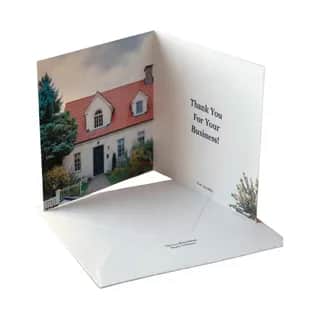
Automates personalized thank-you greeting cards for open house attendees. Pulls the latest attendee list from Google Sheets (names, addresses, and interests), scrapes the property listing photo AND property details from realtor.com, verifies address match, then creates and mails a custom folded greeting card to each attendee. The front features the listing photo, the back has the agent's logo, and the inside contains a personalized thank-you message with action-provoking phrases that reference ONLY factual property features verified from the listing.
Workflow
Saves ~25 min
Reads your grocery list from a Google Sheet, searches Kroger for each item to find the best-priced match, adds them to your Kroger cart, then sends you a notification that your order is ready for checkout.
Workflow
Saves ~25 min
Reads your Google Doc named grocery list, searches Kroger for each item to find the best-priced match, adds them to your Kroger cart, checks off completed items in the Google Doc, then sends you a notification that your order is ready.
Workflow
Saves ~45 min
Searches Gmail for recent unread emails, cross-references senders against Google Contacts to filter out spam and automated messages, identifies important emails from real people, drafts and saves personalized responses in Gmail for each, then posts a formatted summary of all important emails and drafted responses to a Discord channel.
Workflow
Saves ~50 min
Analyzes rental property investment viability by calculating mortgage payments, computing net operating income and cash-on-cash returns, projecting cash flows, generating return visualizations, creating a comprehensive investment analysis report, and delivering it to the investor. Essential for real estate investors evaluating rental property acquisitions.
Workflow
Saves ~10 min
Fetches population and demographics data for a specified country, analyzes key trends, and generates a chart visualization of the results. No credentials or user accounts required.
Workflow
Saves ~40 min
Automates collections by pulling overdue invoices from Zoho Books, calculating days overdue, drafting collection emails with appropriate urgency levels, sending reminders to customers, and tracking collection efforts in a spreadsheet. Improves cash flow by ensuring consistent follow-up on unpaid invoices.
Workflow
Saves ~45 min
Searches online for estate sales and garage sales happening today within 30 miles of the user's location, selects the 5 best sales based on listed items and value, plans the optimal driving route from the user's home through all 5 sales and back, generates a visual map with labeled markers and route path, and sends the route details and map link to the user. Ideal for weekend bargain hunters who want to maximize their time hitting the best sales in the area.
Showing 54 of 54 items