Watch how to connect ChatGPT to AgentPMT's Dynamic MCP Server. This video covers setup using the remote MCP endpoint for browser-based agents.
Connect ChatGPT to AgentPMT
- Created
- Feb 12, 2026
- Updated
- Feb 21, 2026
Step-by-step video guide showing how to connect ChatGPT to AgentPMT using the Dynamic MCP Server.
Featured tools and workflows
Related products
Tool

AgentPMT Audit Logs
list_agent_groupslist_chat_sessionsget_chat_review
+5 more actions
Uses: Summarize What Your Agents Did This Week, Review A Past Chat Conversation And The Tool Calls Inside It, Audit Tool-call History By Tool
Tool

AgentPMT Platform Search
searchglobal_searchrecent
Uses: Search The AgentPMT Website For Anything Relevant To A User Question, Find AgentPMT Tools/products By Capability Or Name, Discover Public AgentPMT Workflows
Tool

AgentPMT Workflow Creator
create_newupdate_existingfetch_existing
+16 more actions
Uses: Build Custom AI Agent Workflows, Automate Multi-step Business Processes, Chain Tools Together Into Reusable Pipelines
Tool

Stripe
search_stripe_documentationget_stripe_account_infocreate_customer
+24 more actions
Uses: Launch SaaS Subscription Billing With Recurring Prices And Hosted Payment Links, Automate Customer Onboarding And CRM-to-Stripe Sync, Generate Stripe Checkout Payment Links For E-commerce Orders
Related workflows
Workflow
Saves ~1 hr
Pipedrive At-Risk Deal Rescue: Auto-Send Flowers & Gift Baskets to Stalled High-Value Accounts




Automatically win back stalled, high-value Pipedrive deals before they go cold. This AI sales workflow scans your CRM for your most valuable open deals and key accounts with no activity in the last N days, ranks them by deal value, and sends a perfectly chosen physical gift — a handwritten greeting card, a fruit basket, or fresh flowers — scaled to the size of the relationship. It reads each contact's deal notes to personalize the card message and avoid preference and allergy missteps, ships to their address, logs the gesture as a Pipedrive note and follow-up activity, and alerts the deal owner. Ideal for account-based selling, customer retention, churn prevention, pipeline re-engagement, VIP client management, and revenue teams who want to revive aging deals with a human touch Pipedrive can't automate on its own.
Workflow
Saves ~45 min
Pipedrive Account News Monitor: Auto-Send Congratulations Cards & Flowers on Client Milestones

Never miss a reason to reach out. This AI workflow monitors the news for your most important Pipedrive accounts every week — funding rounds, awards, expansions, product launches, and executive hires — and turns real headlines into perfectly timed, genuinely relevant congratulations. The agent drafts a personalized note that references the actual news, mails a printed greeting card, and for major milestones like a funding round sends flowers, then logs the outreach and the source article onto the account in Pipedrive and alerts the deal owner. Built for account-based selling, relationship management, customer marketing, executive engagement, and sales teams who want to look remarkably attentive — a timely, news-triggered gifting play Pipedrive cannot do natively.
Workflow
Saves ~15 min
Document and File Certification with Post-Quantum Digital Signatures
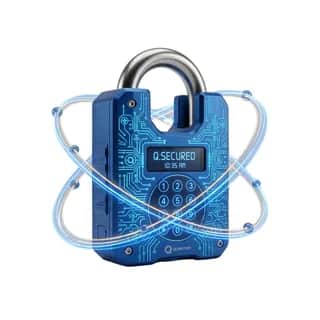
Generate tamper-proof digital certificates for any uploaded file using post-quantum cryptography. This workflow guides the user through uploading or selecting a file via the File Management tool, then signs it with the Quantum-Safe File Attestation tool using ML-DSA-65 (Dilithium3) post-quantum digital signatures via hardware security module. Returns a verifiable attestation package containing a cryptographic manifest, digital signature, and verification bundle with a downloadable certificate link. Use cases include regulatory compliance document certification, financial audit report signing, legal contract attestation, intellectual property timestamping, medical record integrity verification, insurance claim evidence certification, notarized document equivalents, SOC 2 and ISO 27001 audit evidence, HIPAA-compliant document signing, tax filing certification, and tamper-proof archival of sensitive business documents.
Workflow
Saves ~20 min
One Plaud Recording, Several Differently Formatted Summaries

Gets you past the one-template-per-recording ceiling. The Plaud app applies a single AutoFlow template to a recording, so if you want a short recap for yourself, a decisions-only version for the people who missed it, and a clean action list for your task manager, you are re-running or rewriting by hand. This workflow reads the transcript once and produces every format you have defined in a single pass: you list the output formats you want in a Google Sheet, each with a name and a description of the shape and audience, and the workflow generates all of them from the same source text and writes them into one Google Doc per recording with a section for each. Because every version comes from the same read of the transcript, they stay consistent with each other rather than drifting the way separately generated summaries do. Formats are yours to change at any time by editing the sheet, with no re-recording and no template juggling in the app. A processed log keeps each recording to a single pass so it can run on a schedule over everything new.
Try Building Your Own Autonomous Workflow!
It's free to start, no credit card required. Dive in and build it yourself, or bring in the AgentPMT experts for a seamless end-to-end implementation.
Free to start. Consulting available when you want expert implementation.