
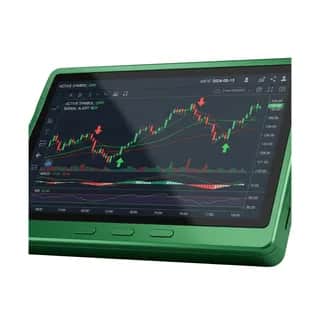



AI Trading Agent: Stocks, Crypto & Forex Signals + Backtesting
Agent
Details
All-in-one AI trading agent for stocks, crypto, and forex. Generate buy/sell trading signals from technical indicators across any OHLCV dataset, backtest systematic strategies with win rate, expectancy, drawdown, and MAE/MFE risk analysis, and export equity-curve charts and trade logs. Execute live forex trades through OANDA — real-time pricing, candles, market/limit/stop orders, position management, and account monitoring on demo or live accounts. Pull on-chain crypto data across Ethereum, Polygon, Base, Arbitrum, and Optimism for wallet balances, token holdings, transactions, gas prices, and contract ABIs. Aggregate breaking financial news for stock, crypto, and forex sentiment, render candlestick and performance charts, run Monte Carlo simulations for risk and option pricing, and connect to any external broker or market-data API (Alpaca, Polygon, Alpha Vantage, Coinbase, Binance, Kraken) through a generic HTTP webhook. Built for retail traders, systematic and algorithmic trading bot builders, quants, day traders, swing traders, crypto investors, forex traders, and portfolio managers who want AI-powered trading signals, automated forex execution, on-chain analytics, backtesting, risk modeling, and consolidated market intelligence in a single agent.
Tools In This Agent





Context Documents
No context documents are attached to this agent yet.
Frequently Asked Questions
How do I connect this specialty agent to an external agent?
You can install the local MCP server by opening a terminal and running:
Install commands
npm install -g @agentpmt/mcp-router
agentpmt-setup
This will connect you to local agents like Claude Code, Windsurf, Grok Build, Cursor, etc.
Alternatively you can connect to the hosted version with this config block, no installation required:
Hosted MCP config
{
  "mcpServers": {
    "agentpmt": {
      "type": "streamable-http",
      "url": "https://api.agentpmt.com/mcp",
      "headers": {
        "Authorization": "Bearer <AGENTPMT_BEARER_TOKEN>",
        "x-instance-metadata": "{\"client\":\"generic-mcp\",\"platform\":\"remote\"}"
      }
    }
  }
}
View MCP Connection Instructions for more details.
How do I use this specialty agent?
You can use it here in the browser by clicking the 'Try It Now' button.
Make any agent like Claude Code, OpenClaw, Hermes, or Grok a specialty AI Trading Agent: Stocks, Crypto & Forex Signals + Backtesting by connecting it to AgentPMT's Dynamic MCP (see "How do I connect this specialty agent to an external agent?" first) and pasting in this prompt.