

Dynamic MCP Server
BYO Agent
One Connection | Infinite Possibilities
No groups to display.
Remote MCP server (HTTPS)
https://api.agentpmt.com/mcpThe MCP server cannot edit, read, or access anything on your computer.
STDIO connector for Claude Code, Codex, Cursor, Zed, and other LLMs that require STDIO or custom connections
npm install -g @agentpmt/mcp-routeragentpmt-setupThis lightweight connector routes requests to https://api.agentpmt.com/mcp using your dashboard Bearer token via AGENTPMT_BEARER_TOKEN. All tool execution happens in the cloud.
The Dynamic MCP Server comes free with every AgentPMT account. You only pay for the tools you use, with full budget control and transparent pricing.
The MCP router is completely free
Only pay for tools you actually use
Set spending caps per budget
Control agent tools across your whole team from one centralized dashboard. No technical overhead, just a few clicks.
Approve or restrict tools for your entire organization with a single click. Changes propagate instantly to all agents.
Set spending limits per team or per budget. Automatic enforcement prevents overruns.
New tools become available to all agents within 30 minutes. No reinstalls, no configuration changes.
All updates propagate in real-time
Track agent activity, tool usage, and spend from one place. Set approvals and enforce budgets server-side with a complete audit trail.
Install the official package or review release notes on the npm registry page for @agentpmt/mcp-router.
Built from the ground up to redefine how AI agents access and use tools
Install once and gain access to any tool in the marketplace. No additional installations required.
Manage all agent tools for your entire organization from one dashboard with just a few clicks
Single 5MB binary works across 8+ AI platforms without modification
Tool catalog updates automatically every 30 minutes without restarts
All agent instances are persistent with full activity tracking and session continuity
All tools run on remote servers - no local dependencies required
Every tool call and response is logged and traceable for compliance and debugging
Pay-per-use model with intelligent budget controls and transparent spending limits
Auto-detects AI platforms and configures them with a single command
Simple architecture, powerful results
Claude, Cursor, or any supported platform sends a JSON-RPC request over stdio
The local STDIO connector calls https://api.agentpmt.com/mcp (using your dashboard Bearer token) to fetch your personalized tool catalog
Your approved tools with pricing and schemas are returned to the AI assistant
When the AI calls a tool, the connector proxies the MCP request to https://api.agentpmt.com/mcp with server-side billing and budget enforcement
Tool output is streamed back to the AI assistant in real-time
AI Assistant (Claude/Cursor/etc)
    ↓ stdio (JSON-RPC)
agentpmt-router (local STDIO connector)
    ↓ HTTPS (Authorization: Bearer ...)
AgentPMT MCP endpoint (https://api.agentpmt.com/mcp)Every action is logged, tracked, and auditable. Perfect for compliance, debugging, and organizational oversight.
Every tool invocation is recorded with full parameters, timestamps, and user context.
All tool responses, errors, and execution times are captured for full session reconstruction.
Agent instances persist across restarts with full activity history always accessible.
Every tool execution is captured with complete context in an easy-to-navigate format
0b2572d7-3645-4b33-b731-5b95cbdf3c74{
"client": "claude_code",
"platform": "linux",
"client_info": {
"ip_address": "69.136.156.79",
"user_agent": "AgentPMT-MCP/1.0"
}
}{
"product_id": "692720cb46dac36e67d0ef2e",
"parameters": {
"action": "calculate",
"expression": "integrate(x^2, x)"
},
"budget_id": "695090103119f650009bc8893"
}{
"success": true,
"instance_id": "0b2572d7-3645-4b33-b731-5b95cbdf3c74",
"response": {
"status_code": 200,
"data": {
"success": true,
"output": {
"result": "x^3/3 + C",
"execution_time": "0.23s"
}
}
},
"cost": "$0.06",
"timestamp": "2026-01-03T14:32:16Z"
}Every detail captured and organized
Structured format for quick review
From request to response
The Dynamic MCP Server connects to any AI agent that supports the Model Context Protocol. Our easy setup tool automatically configures these popular platforms:
{
  "command": "npx",
  "args": ["--package=@agentpmt/mcp-router@latest", "agentpmt-router"],
  "env": {
    "AGENTPMT_BEARER_TOKEN": "your-dashboard-bearer-token"
  }
}
This configuration works with any MCP-compatible agent. Our installer automates the setup for popular platforms.
See how we compare to standard MCP servers
| Feature | Standard MCP Server | AgentPMT Dynamic MCP |
|---|---|---|
| Tool Access | Limited, pre-installed | Unlimited marketplace access |
| Tool Loading | Hardcoded in source | Dynamic from API |
| Updates | Requires rebuild | Automatic |
| Execution | Local process | Remote API |
| Organization Management | Individual config | Centralized dashboard |
| Auditability | Limited or none | Full activity logging |
Enterprise-grade features built for production
Tools are fetched from the API on each tools/list request. No recompilation needed - new tools appear automatically when you approve them on your dashboard or when tools are added to the marketplace.
The server polls the API every 30 minutes and sends MCP notifications when your tool catalog changes. The AI assistant automatically refreshes its tool list.
Every tool call includes Bearer-token authentication and server-side budget enforcement. Users set spending limits in the dashboard and the server enforces them with full audit trails.
All agent instances are persistent with complete activity logging. Every tool call, response, and error is recorded for compliance, debugging, and organizational oversight.
The AgentPMT mobile app extends your Dynamic MCP setup to your phone. Get notified the moment an agent needs a decision and respond in seconds.
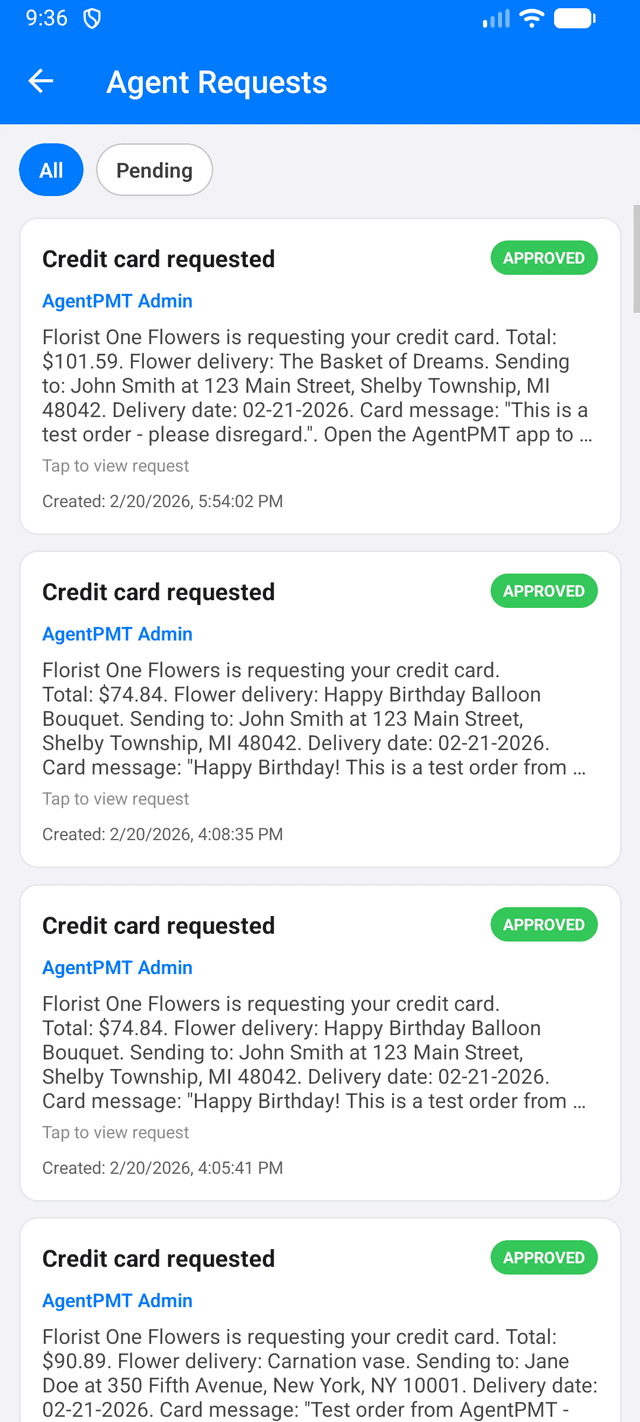
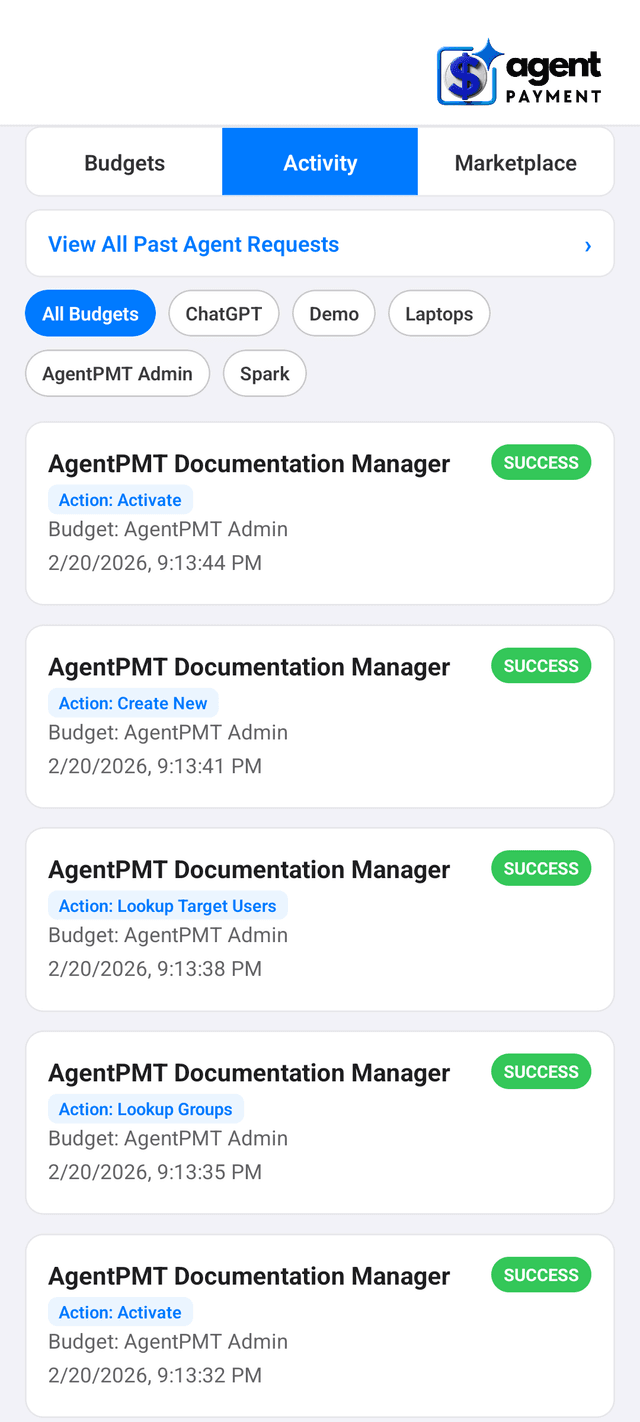
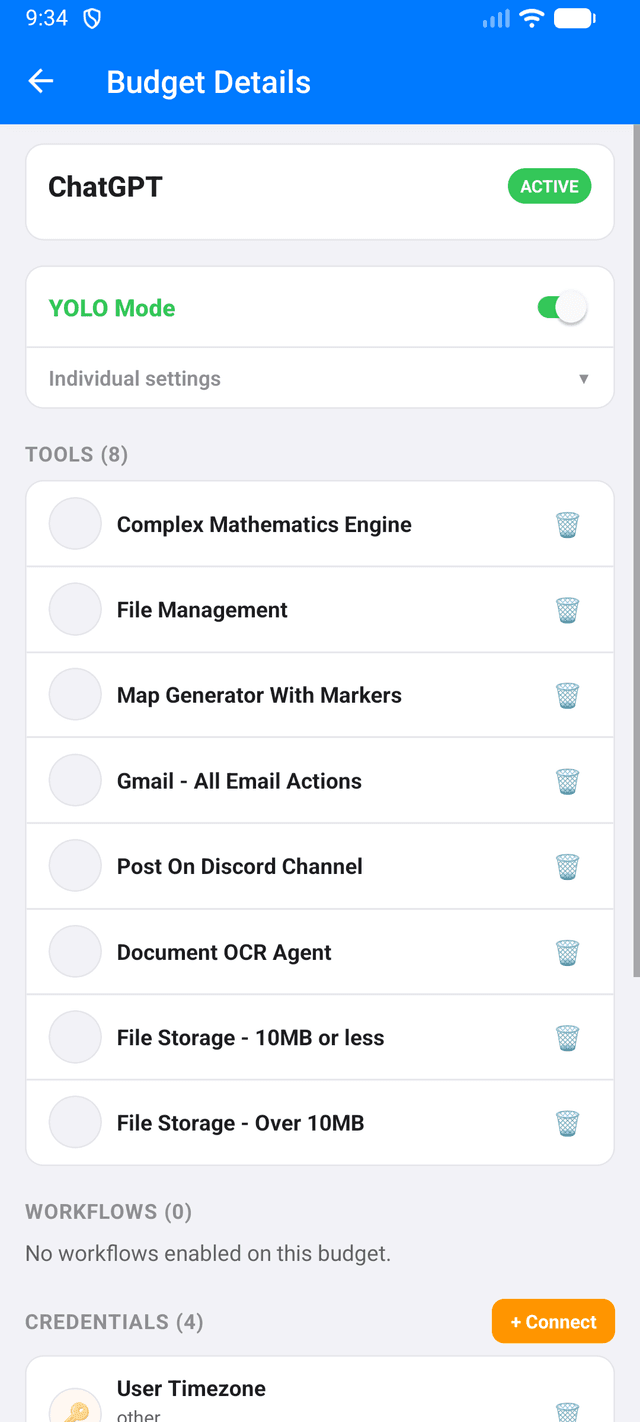
Real-Time Notifications
Push alerts the moment an agent needs approval -- tool access, workflows, or payments.
One-Tap Approvals
Review request details and approve or deny without opening a laptop.
Secure Payments
Biometric authentication for every credit card authorization. Card data is tokenized and encrypted.
Full Activity Feed
See every tool call, response, and status update across all your budgets in real time.