
Agent Tool
Elevation Data - Point, Path, Charts & Statistics
Available ActionsEach successful request consumes credits as outlined below.
get_elevation10crget_path_elevation10crget_elevation_profile10cr
Details
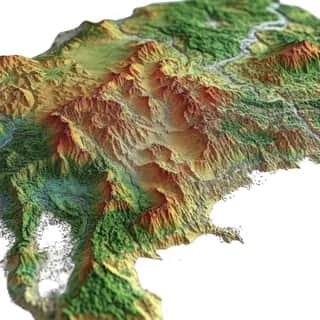
Comprehensive elevation data tool that provides elevation information for any location on Earth including ocean floor depths. The tool offers discrete location elevation lookups for up to 512 points, elevation sampling along defined paths with configurable resolution, automatic elevation profile generation with visualization charts, and detailed statistics including minimum maximum average elevation gain total ascent and descent. Features elevation data in both meters and feet with resolution accuracy indicators, elevation categorization from below sea level to very high elevation, distance calculations for path-based requests, and optional chart generation saved to cloud storage. Perfect for hiking and trail planning applications, geographic surveying and terrain analysis, cycling route optimization, real estate site assessment, and adventure sports planning.
Use Cases
Hiking trail elevation profile analysis, Cycling route difficulty assessment, Geographic surveying and flood risk mapping, Real estate site elevation evaluation, Mountain climbing route planning, Paragliding launch site analysis, Watershed and drainage studies, Construction site planning, Adventure sports terrain analysis, Topographical data visualization
Dynamic MCP Setup
Connect once through AgentPMT Dynamic MCP, then use approved tools from the same agent connection.
30 Second Setup
STDIO connector for Claude Code, Codex, Cursor, Zed, and other LLMs that require STDIO or custom connections.
npm install -g @agentpmt/mcp-routeragentpmt-setupHosted Streamable HTTPS
MCP endpoint for browser-based apps like ChatGPT, Claude, Grok, or any time you want a streamable connection with no local install.
https://api.agentpmt.com/mcpConfig Example
Use the hosted endpoint directly in clients that support remote MCP. Store your Bearer token in the client config or secret field.
{
  "mcpServers": {
    "agentpmt": {
      "type": "streamable-http",
      "url": "https://api.agentpmt.com/mcp",
      "headers": {
        "Authorization": "Bearer <AGENTPMT_BEARER_TOKEN>",
        "x-instance-metadata": "{\"client\":\"generic-mcp\",\"platform\":\"remote\"}"
      }
    }
  }
}
Need client videos, organization controls, audit details, and the full feature overview?
More About Dynamic MCPFrequently Asked Questions
How do I connect this tool to an external agent?
You can install the local MCP server by opening a terminal and running:
Install commands
npm install -g @agentpmt/mcp-router
agentpmt-setup
This will connect you to local agents like Claude Code, Windsurf, Grok Build, Cursor, etc.
Alternatively you can connect to the hosted version with this config block, no installation required:
Hosted MCP config
{
  "mcpServers": {
    "agentpmt": {
      "type": "streamable-http",
      "url": "https://api.agentpmt.com/mcp",
      "headers": {
        "Authorization": "Bearer <AGENTPMT_BEARER_TOKEN>",
        "x-instance-metadata": "{\"client\":\"generic-mcp\",\"platform\":\"remote\"}"
      }
    }
  }
}
View MCP Connection Instructions for more details.
How does an external agent use this tool?
After the external agent is connected to an Agent Group that can use this tool, paste this prompt into the agent:
Agent prompt
Use the AgentPMT-Tool-Search-and-Execution tool. First call action 'get_instructions' so you know how to use the tool search interface. Then call action 'get_schema' with tool_id 69615b4baa1df9dd0902d62e ("Elevation Data - Point, Path, Charts & Statistics"). After reading the schema and any returned instructions, tell me what this tool can do, we are going to be using it
The agent should fetch the tool schema first, collect the required parameters for your request, and then call the tool through AgentPMT.