
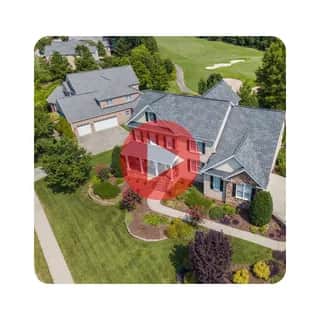
Real Estate Aerial Video Generator
Function
Available ActionsEach successful request consumes credits as outlined below.
generate_aerial_video25crfetch_existing_aerial_video
Details
Turn a street address into a cinematic aerial property video you can share with buyers, clients, or stakeholders. This tool is useful for real estate listings, neighborhood previews, destination marketing, property presentations, and location-based sales materials. Completed videos are returned as downloadable MP4 links that can be handed directly to the user.
Use Cases
Real estate listing videos, Vacation rental marketing, Neighborhood preview videos, Destination marketing, Property presentation media, Venue showcase videos, Sales outreach assets, Location-based client presentations
Dynamic MCP Setup
Connect once through AgentPMT Dynamic MCP, then use approved tools from the same agent connection.
30 Second Setup
STDIO connector for Claude Code, Codex, Cursor, Zed, and other LLMs that require STDIO or custom connections.
npm install -g @agentpmt/mcp-routeragentpmt-setupHosted Streamable HTTPS
MCP endpoint for browser-based apps like ChatGPT, Claude, Grok, or any time you want a streamable connection with no local install.
https://api.agentpmt.com/mcpConfig Example
Use the hosted endpoint directly in clients that support remote MCP. Store your Bearer token in the client config or secret field.
{
  "mcpServers": {
    "agentpmt": {
      "type": "streamable-http",
      "url": "https://api.agentpmt.com/mcp",
      "headers": {
        "Authorization": "Bearer <AGENTPMT_BEARER_TOKEN>",
        "x-instance-metadata": "{\"client\":\"generic-mcp\",\"platform\":\"remote\"}"
      }
    }
  }
}
Need client videos, organization controls, audit details, and the full feature overview?
More About Dynamic MCPFrequently Asked Questions
How do I connect this tool to an external agent?
You can install the local MCP server by opening a terminal and running:
Install commands
npm install -g @agentpmt/mcp-router
agentpmt-setup
This will connect you to local agents like Claude Code, Windsurf, Grok Build, Cursor, etc.
Alternatively you can connect to the hosted version with this config block, no installation required:
Hosted MCP config
{
  "mcpServers": {
    "agentpmt": {
      "type": "streamable-http",
      "url": "https://api.agentpmt.com/mcp",
      "headers": {
        "Authorization": "Bearer <AGENTPMT_BEARER_TOKEN>",
        "x-instance-metadata": "{\"client\":\"generic-mcp\",\"platform\":\"remote\"}"
      }
    }
  }
}
View MCP Connection Instructions for more details.
How does an external agent use this tool?
After the external agent is connected to an Agent Group that can use this tool, paste this prompt into the agent:
Agent prompt
Use the AgentPMT-Tool-Search-and-Execution tool. First call action 'get_instructions' so you know how to use the tool search interface. Then call action 'get_schema' with tool_id 69612e4daa1df9dd0902d624 ("Real Estate Aerial Video Generator"). After reading the schema and any returned instructions, tell me what this tool can do, we are going to be using it
The agent should fetch the tool schema first, collect the required parameters for your request, and then call the tool through AgentPMT.