


Print Marketing & Direct Mail Agent
Agent
Details
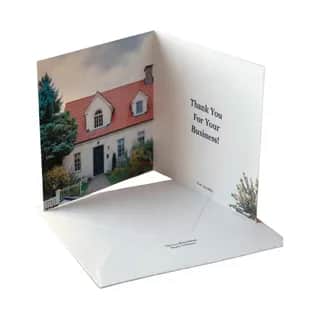
Plan, design, and mail printed marketing collateral end-to-end without leaving chat. This agent handles direct mail campaigns, printed greeting cards, postcards, holiday mailers, real estate follow-ups, customer appreciation cards, donor outreach, and gift-with-card sends. Import recipient lists from Google Sheets, Google Docs, Google Drive, Google Contacts, Zoho CRM, or scanned address sheets via OCR. Pull personalization data (name, gift, property, occasion). Source royalty-free imagery from Wikimedia Commons and Wikipedia for card art with full license attribution, scrape listing photos and event pages with the live web browser, and generate hero shots from any address using Street View and satellite imagery. Composite logos and overlays onto card panels with the image editor. Geo-target neighborhoods with the local business and mapping tool. Write on-brand copy and run it through a banned-phrase quality gate before sending. Preview every proof, then mail premium folded greeting cards via USPS First Class with tracking. Optionally pair mailed cards with flower, balloon, or fruit basket deliveries for high-value VIP outreach. Wrap up campaigns with chart-based performance summaries. Ideal for small business owners, real estate agents, nonprofits, event hosts, customer success teams, and any marketing automation workflow that needs a physical touchpoint alongside email and social.
Tools In This Agent
- Send a Custom Greeting Card
- File Management
- Flower, Fruit Basket, Balloon Delivery
- Public Commons Media Search
 Image Editor
 Live Web Page Browser
 Location Street View & Satellite Imagery
 Local Business Discovery and Mapping
 Document OCR Agent
 AI Writing Quality Check
+6 more
Context Documents
No context documents are attached to this agent yet.
Workflows This Agent Can Use
2 / 2Workflow

Given a person's name, search Google Contacts to retrieve their phone number and address, then order red roses with a thank-you note using the flower delivery tool.
Frequently Asked Questions
How do I connect this specialty agent to an external agent?
You can install the local MCP server by opening a terminal and running:
Install commands
npm install -g @agentpmt/mcp-router
agentpmt-setup
This will connect you to local agents like Claude Code, Windsurf, Grok Build, Cursor, etc.
Alternatively you can connect to the hosted version with this config block, no installation required:
Hosted MCP config
{
  "mcpServers": {
    "agentpmt": {
      "type": "streamable-http",
      "url": "https://api.agentpmt.com/mcp",
      "headers": {
        "Authorization": "Bearer <AGENTPMT_BEARER_TOKEN>",
        "x-instance-metadata": "{\"client\":\"generic-mcp\",\"platform\":\"remote\"}"
      }
    }
  }
}
View MCP Connection Instructions for more details.
How do I use this specialty agent?
You can use it here in the browser by clicking the 'Try It Now' button.
Make any agent like Claude Code, OpenClaw, Hermes, or Grok a specialty Print Marketing & Direct Mail Agent by connecting it to AgentPMT's Dynamic MCP (see "How do I connect this specialty agent to an external agent?" first) and pasting in this prompt.